Your working day in your timesheet
Record the hours for the right day. Urenboek automatically adds up the daily, weekly and monthly totals.
Record an ordinary working day from your timesheet. Describe a more detailed day in one Dutch sentence. Urenboek processes and adds up your hours; with Rittenboek, you can include trips, addresses and kilometres too.
A tool by Mantel Management Focus BV
Your timesheet: hours and mileage together.
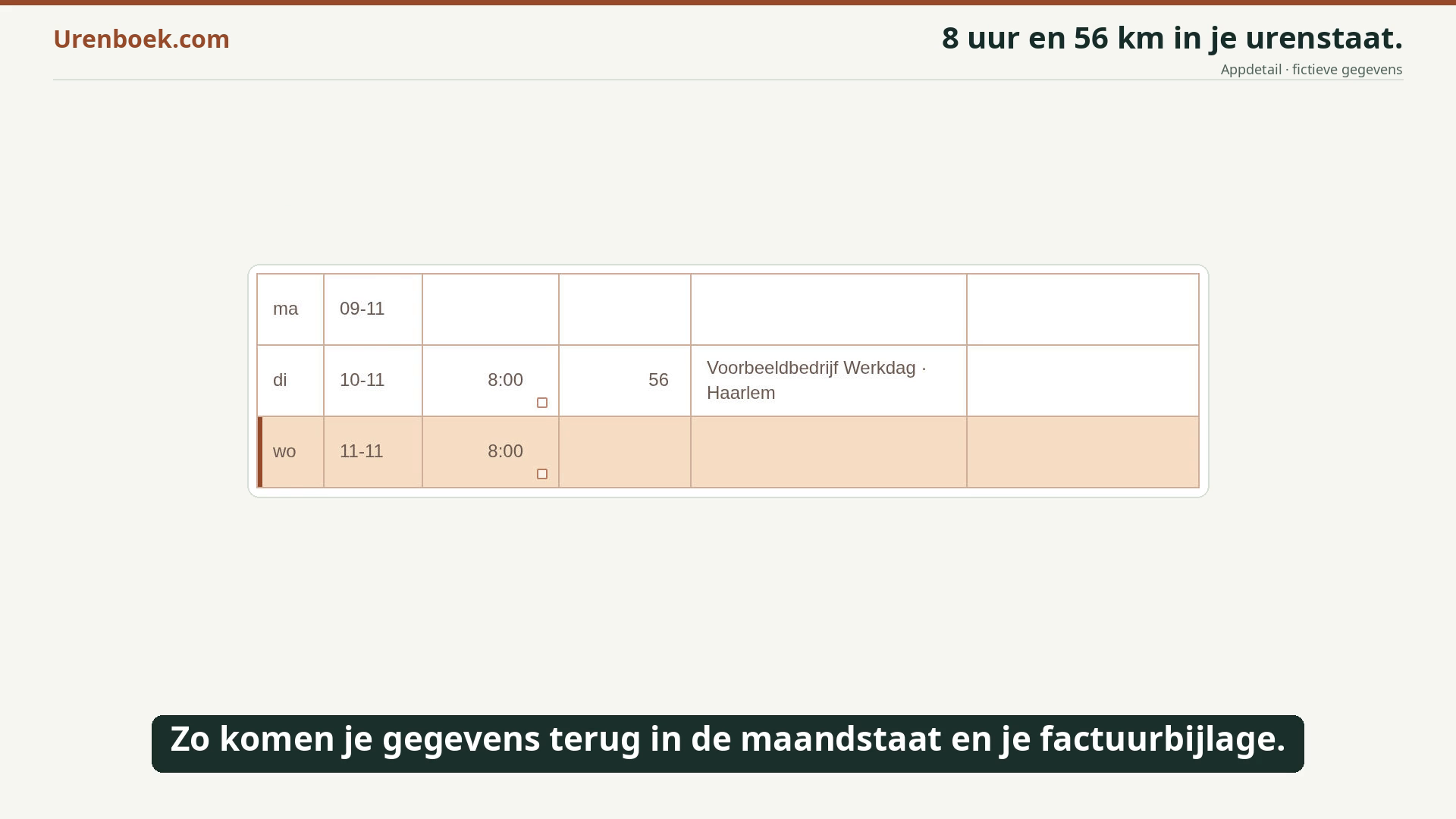
See how easy it is
See a working day recorded in the timesheet, followed by a more detailed day processed from one typed sentence.
Je werkdag zit al in je hoofd. Urenboek verwerkt je beschrijving tot urenregistratie. Zo komen je gegevens terug in de maandstaat en je factuurbijlage. Van jouw werkdag naar een overzicht voor jezelf én je klant. Kies de administratie die met je meewerkt.
Examples use fictional data.
Record the hours for the right day. Urenboek automatically adds up the daily, weekly and monthly totals.
Type the day, client and hours worked in Dutch. With Rittenboek, you can also describe trips, addresses and kilometres.
Check the result and complete only missing details. Use the same hours for your monthly timesheet and invoice attachment.
This is what you share
Hours, work and agreed mileage come together in an invoice attachment. Choose the period and the information you share.
Sample report with fictional data. Review the explanations and checks in the document too. The example is in Dutch.
Choose the day for your client, enter 8 and save. The date and client are already selected. Urenboek adds up your hours automatically. View every day of the month for each client, with hours, invoice kilometres, Address and city, and Notes. Add a short note such as Leave even on a day without hours.
Type your day or week in Dutch, including the client, hours worked and any trips. The app processes complete information. You check the result and fill in only missing details.
Choose a calendar month, a seven-day week with your preferred first day, or exactly 28 days using a start date and period number. Save the preference per client.
The assignment period determines which active clients appear for the month. Project counts follow the visible selection; Include inactive adds completed projects.
Attach a receipt or invoice as PDF, JPG or PNG, up to 10 MB. Review the suggested details and link the expense to a client, date and optional project.
Amounts for hours and kilometres have separate checkboxes, both off by default. The preview, PDF and CSV follow that choice. Expenses have their own amount summary.
The Review Centre brings attention points together and takes you to the relevant information. See what needs completing or checking, then move on. Zero open review items does not prove that all hours worked, trips driven or charging sessions have been entered.
Review one worksheet and select the client and project. After confirmed saving, the correct client month opens. Recognised source rows imported previously are skipped.
Urenboek also works without a car. With access to Rittenboek, use the relevant trip sources according to the client agreement; linked kilometres are not added to the hours again.
Choose a topic. Watch a video guide or follow the written steps.
The videos are in Dutch. The written steps use your selected language.
Choose the modules you need. You do not need a car to record hours, or an electric car to record trips.
Work entries, project hours and clear attachments for your clients.
Business and private trips, odometer readings, projects and reports.
Charging sessions, energy tariffs and the records behind your charging costs.
Each employee records their own hours and uses shared clients and projects. Hours remain in their individual records.
You choose which invoice attachment to share. Your client does not need a subscription. Private trips and odometer readings do not belong in the invoice attachment.
Use Urenboek on its own or combine it with Rittenboek, Laadboek or both. Choose only what you need. Choose your plan, create an account or sign in, and complete your subscription online.
Dutch prices. The listed one-time setup charge is mandatory. Choose Business for prices excluding VAT.
Hours and invoice attachments for your own business.
Your work and business mileage together.
Your working hours and charging costs in one workspace.
Three practical tools for your administration.
Billed monthly and cancellable monthly.
These team prices include five users. You can adjust the number when ordering; the corresponding price is shown before you place your order.
The same four combinations are available for teams. The base price includes 5 users. Prices exclude VAT.
Each employee records their own hours and uses shared clients and projects. Hours remain in their individual records.
| Plan | Monthly | Yearly | One-time setup | First monthly payment | First annual payment | Choose this business package |
|---|---|---|---|---|---|---|
| Urenboek | €17.95 | €197.45 | €79.00 | €96.95 | €276.45 | Choose this business package |
| Urenboek + Rittenboek | €27.95 | €307.45 | €109.00 | €136.95 | €416.45 | Choose this business package |
| Urenboek + Laadboek | €34.95 | €384.45 | €129.00 | €163.95 | €513.45 | Choose this business package |
| Urenboek + Rittenboek + Laadboek | €44.95 | €494.45 | €159.00 | €203.95 | €653.45 | Choose this business package |
| Users | Urenboek | Urenboek + Rittenboek | Urenboek + Laadboek | Urenboek + Rittenboek + Laadboek |
|---|---|---|---|---|
| 6–15 | €1.25 | €2.00 | €2.50 | €3.25 |
| 16–50 | €0.75 | €1.25 | €1.50 | €2.00 |
| 51–100 | €0.50 | €0.65 | €0.75 | €0.90 |
| 101–250 | €0.30 | €0.40 | €0.50 | €0.60 |
| 251–500 | €0.20 | €0.30 | €0.40 | €0.50 |
| 501–1000 | €0.15 | €0.25 | €0.30 | €0.40 |
Additional seats are charged progressively within each band. With annual billing, additional users cost 11 monthly amounts per year. Setup is charged once per workspace.
Choose the day in your client’s monthly timesheet, enter 8 hours, for example, and save. The date and client are already filled in. For a more detailed day, use a short description in Dutch. Processing trips also requires Rittenboek.
Type your day or week in Dutch, including the client, hours worked and any trips. The app processes complete information. You check the result and fill in only missing details. If something is missing or unclear, that part remains a draft in the review items.
Yes. Urenboek is designed to record hours, work and projects on its own. Rittenboek and Laadboek are optional additions. Choose only the modules you need.
No. The attachment provides the detail behind your hours and any agreed mileage. You create and send the invoice through your own invoicing process and include the attachment with it.
The attachment shows the mileage you charge under your agreement with the client. That agreement is not a mileage log for tax purposes. Record actual trips and odometer readings separately, for example in Rittenboek.
With annual billing, you pay 11 monthly amounts for 12 months of use. The one-time setup fee is added only when you start.
No. You can share a PDF or CSV with your client without them needing a Urenboek subscription. You decide which attachment to send.
Each team member keeps their own hours, using shared clients and projects. Hours remain in their own records.
Your description is processed within the application, without an external AI provider. You can edit the text and choose when to process it.
A week contains seven days and has a configurable first day, Monday by default. Four weeks means exactly 28 consecutive days, based on the first start date and chosen period number. A calendar month follows its actual boundaries. Weekly subtotals count only days within the selected period.
Show amounts for hours and Show amounts for kilometres are off by default and work independently. Rates are in EUR excluding VAT and allow four decimal places. Blank means unknown; zero is an explicit zero rate. An applicable explicit rate in a client agreement takes precedence over the default rate. Entering a rate does not enable amount display automatically.
Choose one supported worksheet, the existing client and project, then review the proposed rows. Only after confirmed saving does the timesheet open for that client and the source month. Recognised source rows imported previously are skipped. Reopen the same file to select another worksheet.
A receipt or invoice is required: PDF, JPG or PNG, up to 10 MB per file. Check and correct the suggested description, supplier, date and amount. Document recognition uses no external AI provider and does not guarantee flawless interpretation. Expenses have a separate selection and amount summary in the client statement.
Tell us how you currently track your hours. We can then look at which package fits your work.